How To Improve Your Restaurant's Reservation System
A restaurant reservation system is software that manages table bookings, waitlists, and guest data, replacing phone-and-paper logs. To improve yours, choose a platform with real table management and automated confirmations (OpenTable, Tableo, Eat App), enforce deposits or credit-card holds to cut no-shows, and sync floor-plan data with your POS.
An empty four-top on a booked-out Saturday costs you twice: the revenue that party would have spent, and the walk-ins you turned away to hold the table. A well-run restaurant reservation system is the difference between those two outcomes — and one of the fastest ways to improve restaurant sales without adding a single seat. In 15+ years supplying 40,000+ foodservice operations, we've watched restaurants recover thousands of dollars a month simply by tightening how they book, confirm, and seat guests. This guide covers how to choose the right platform, how to optimize the one you already have, and how to make sure your front-of-house team can execute what the software promises.
TL;DR — What Actually Moves the Needle
- Pick for table management, not just bookings. A booking widget fills slots; a table management system fills seats efficiently. Floor-plan logic, turn-time data, and waitlist tools matter more than brand names.
- Attack no-shows first. 28% of Americans admit to skipping a reservation in the past year, per OpenTable data. Card holds, deposits, and automated reminders are the proven fixes.
- Sync reservations with your POS. Linked systems attach spend data to guest profiles, so you know who your $200-check regulars are.
- Equip the host stand. Software fails at the door if your team can't execute. Reservation lists, menus, and check presenters need a physical home.
What Is a Restaurant Reservation System?
A restaurant reservation system is software that accepts table bookings online, assigns parties to tables, sends confirmations and reminders, manages waitlists, and stores guest data such as visit history, allergies, and preferences. It replaces the phone-and-reservation-book workflow with an online reservation system for restaurants that works 24/7 — Sunday-night bookings roll in while your team sleeps.
Modern platforms bundle four core functions:
- Online booking: a widget on your website, Google Business Profile, Instagram, or a marketplace app where guests reserve directly.
- Table management system: a live digital floor plan that tracks which tables are seated, turning, or open, and estimates turn times.
- Guest communication: automated confirmation, reminder, and follow-up messages by text and email.
- Guest CRM: profiles that record spend, visit frequency, no-show history, and notes like "anniversary" or "shellfish allergy."
Free vs. Paid Systems
Free systems (TableAgent, GloriaFood, and freemium tiers from Tableo and Eat App) handle basic bookings and confirmations — enough for a café or small independent taking a handful of reservations a night. Paid systems add the tools that protect revenue at volume: credit-card holds, deposit collection, SMS reminders, POS integration, and marketplace exposure. The math is straightforward: if a paid plan prevents two no-showed four-tops a week at a $45 average check, it pays for itself several times over.
Standalone vs. POS-Integrated
Standalone reservation platforms run independently of your point of sale; POS-integrated systems link each reservation to its check. Integration is what turns a booking log into business intelligence — you see that Table 12's party of four spent $310, attach it to the guest's profile, and market to them accordingly. If you're evaluating the other half of that equation, see our guide to the best POS systems for restaurants.
How Do You Choose a Restaurant Reservation System?
Choose a restaurant reservation system by matching three things to your operation: your booking volume, your no-show exposure, and your need for marketplace discovery versus direct bookings. High-traffic urban restaurants often justify OpenTable's network fees because the marketplace fills otherwise-empty seats; neighborhood restaurants with loyal regulars usually keep more margin with a direct restaurant booking system like Tableo or Eat App.
Here's how the five most-searched platforms compare (pricing verified on vendor sites, current as of August 2026):
| Platform | Pricing | Best For | Standout Features |
|---|---|---|---|
| OpenTable | Basic $149/mo, Core $299/mo, Pro $499/mo + per-cover fees on network bookings ($1–$1.50) | Restaurants that want diner-marketplace exposure | Largest diner network; strong table management; guest database; POS integrations |
| Tableo | Free up to 100 covers/mo; paid plans from $57.50/mo (annual billing) | Independents wanting commission-free bookings | No per-cover fees; interactive floor plan; payments and SMS to reduce no-shows |
| Eat App | Free plan (100 covers/mo); paid tiers scale from there | Data-driven operators and groups | Deep guest CRM; automated surveys; strong reporting and floor-plan analytics |
| TableAgent | Free ($0 — no monthly fee, no per-cover fee) | Very small operations on zero software budget | Web-based bookings with no subscription; basic but genuinely free |
| GloriaFood (Oracle) | Free table reservation module; paid add-ons for promotions and branded apps | Restaurants that also want free online ordering | Reservations bundled with an online ordering system; order-ahead with booking |
Every platform in this table except OpenTable is commission-free on direct bookings, which is why "OpenTable alternatives" is one of the most-searched phrases in this category. That's not a knock on OpenTable — its marketplace genuinely fills seats — but you should know whether you're paying for software or paying for demand, because they're different purchases.
Which Features Matter Most?
The features that matter most in a restaurant reservation system are table management, automated confirmations, no-show protection, and POS sync — in that order. Use this checklist when you demo:
- Live floor plan with turn-time tracking — the system should suggest optimal seating, not just record bookings.
- Automated SMS + email confirmations and reminders — texts get read; voicemails don't.
- Credit-card holds and deposits — configurable by party size, day, and service (holiday brunches vs. a Tuesday lunch).
- Waitlist management — a restaurant waitlist app that quotes accurate waits and texts guests when tables are ready.
- Google and Instagram booking integration — most direct reservations now start from a search or a social profile, not your homepage.
- POS integration — attaches spend to guest profiles and feeds your loyalty efforts; see our guide to implementing loyalty programs in foodservice.
How Much Does a Restaurant Reservation System Cost?
A restaurant reservation system costs anywhere from $0 to roughly $500 per month in 2026, plus per-cover fees on some platforms. Budget in three tiers: genuinely free tools (TableAgent, GloriaFood, and the freemium plans from Tableo and Eat App) suit low-volume rooms; mid-market plans run about $50–$150 per month and add card holds, SMS reminders, and floor-plan tools; premium plans from $299–$499 per month layer on marketplace demand, advanced CRM, and multi-location reporting. Watch the variable costs as closely as the subscription — a $1–$1.50 per-cover network fee is trivial for a 40-seat bistro but becomes a five-figure annual line item for a high-volume operation seating hundreds of marketplace covers a week. Total cost of ownership should also include onboarding time: most vendors quote a one-to-two week setup for floor-plan mapping, POS connection, and staff training.
The stakes justify the diligence: the National Restaurant Association projects total restaurant and foodservice sales of $1.55 trillion in 2026, with more than 9 in 10 operators citing rising costs as their key stressor. When margins are that tight, seats you already booked are the cheapest revenue you'll ever protect. The Association has also reported that 83% of operators say technology provides a clear competitive advantage — reservation tools are among the most direct examples.
How Do You Improve Your Existing Reservation System?
Improve an existing reservation system by attacking no-shows with card holds and reminders, tightening your floor-plan data so turn estimates are accurate, running a digital waitlist, and syncing reservations with your POS. Most restaurants don't need new software — they need to switch on the features they already pay for. Work through these six steps:
1. Enforce Credit-Card Holds or Deposits to Reduce No-Shows
No-shows are the single biggest leak in reservation revenue. Per OpenTable, 28% of Americans say they haven't shown up for a reservation in the past year (current as of August 2026). A card hold with a clearly stated fee — $10–$25 per head is typical — changes guest behavior overnight, because a reservation with skin in the game is a commitment, not a placeholder. Start with high-risk windows only: parties of six or more, Friday and Saturday prime slots, and holidays. Guests accept holds far more readily than they did five years ago; ticketed events and prix fixe menus can go further with full prepayment. Peak occasions like Mother’s Day — the year’s busiest dining-out day — are where holds prove their worth; our Mother’s Day restaurant ideas cover how to prepare.
2. Automate Confirmations and Reminders
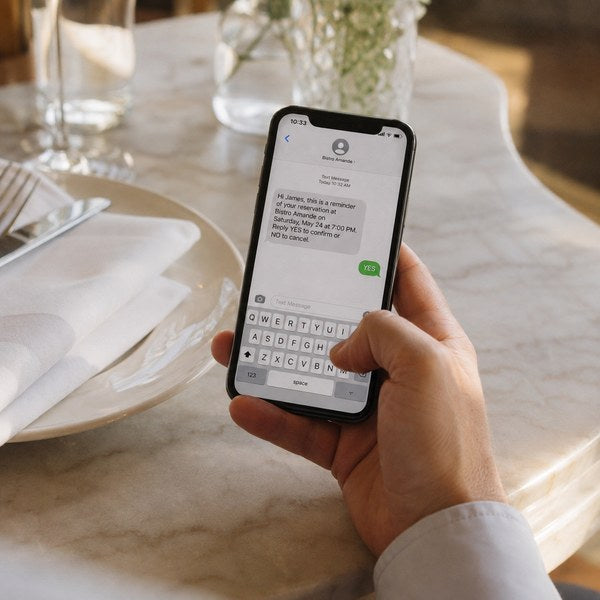
Send an instant booking confirmation, a reminder 24 hours out, and a same-day text 2–3 hours before the reservation with a one-tap cancel or modify link. The goal isn't just attendance — it's converting silent no-shows into early cancellations you can resell. Booking channel matters here too: OpenTable's data shows diners who book through its network — where confirmations and accountability are built in — are 40% less likely to no-show than diners who book through search engines. You can replicate that accountability on direct bookings with disciplined automated messaging.
3. Tighten Your Table Management Data
Your system's seating suggestions are only as good as the turn times you feed it. Audit actual turn times by day-part for two weeks — a 55-minute weekday lunch and a 2-hour Saturday dinner should not share one default setting. Then rebuild your digital floor plan to match reality: combinable two-tops, bar seating, patio sections with weather-dependent availability. Accurate data lets the system safely book tighter windows, which is worth an extra turn per section on busy nights.
4. Balance Walk-Ins vs. Reservations
Walk-in vs. reservation management is a portfolio decision: reservations guarantee baseline covers, while a protected walk-in allocation captures spontaneous demand and keeps the bar full. Most full-service operators land between 60/40 and 80/20 reservations-to-walk-ins depending on neighborhood foot traffic. Review the split quarterly against your no-show rate — if no-shows run high, shifting 10% of prime-time inventory back to walk-ins can out-earn the bookings you lose.
5. Run a Real Digital Waitlist
A restaurant waitlist app turns your busiest, messiest hours into a managed queue: guests get an honest quoted wait, a text when the table's ready, and the freedom to browse next door instead of crowding your host stand. Accurate quotes matter more than short ones — guests forgive a 40-minute wait they were warned about and punish a "20 minutes" that becomes 50. Most paid reservation platforms include waitlist tools; turning them on is often a same-day improvement.
6. Sync Reservations With Your POS and Guest Data
POS sync closes the loop: every closed check attaches to a guest profile, so your restaurant booking system learns who orders the tasting menu, who tips 25%, and who no-showed twice in December. That data should drive real decisions — priority tables for high-value regulars, targeted re-engagement for lapsed guests, and smarter comping. Our foodservice customers consistently tell us the guest-profile layer is the feature they wish they'd activated a year earlier: it converts a scheduling tool into a marketing engine.
How Does Front-of-House Execution Support Your Reservation System?
Front-of-house execution is where reservation software succeeds or fails: the greeting, the seating, the menu handoff, and the check drop all happen at physical touchpoints your platform can't control. A guest who booked in ten seconds online expects the same polish at the door. In 15+ years supplying 40,000+ foodservice operations, we've seen beautifully configured reservation systems undermined by a chaotic host stand — and modest systems elevated by teams with the right tools within arm's reach.
Three physical stations to align with your booking flow:
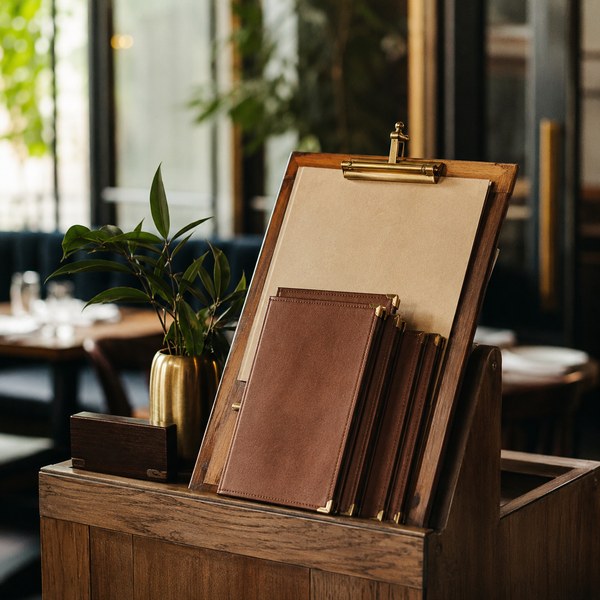
- The host stand. Stock it like a workstation, not a lectern: tablet or printed reservation sheets, wait-quote cards, reserved-table signs, and pagers if you run a hybrid waitlist. Our host server supplies & accessories collection covers the essentials that keep the first 30 seconds of a guest's visit smooth.
- The menu handoff. Guests who pre-booked often pre-read your menu online; the physical version should live up to it. Durable, clean menu covers & books signal the same professionalism as your booking widget — a scuffed, sticky menu contradicts it instantly.
- The check drop. The last touchpoint decides the review and the rebooking. Presenting the bill in proper restaurant check presenters & server books — with a card slot and a comment-card pocket if you collect feedback — closes the visit with the same intentionality the reservation opened it. Train servers on timing too; our fine dining etiquette tips for servers cover the service rhythm between seating and settle-up.
Frequently Asked Questions
What is the best restaurant reservation system?
The best restaurant reservation system depends on your volume and margin priorities: OpenTable leads for marketplace exposure and diner-network demand; Tableo and Eat App lead for commission-free direct bookings with strong table management; TableAgent and GloriaFood are the best genuinely free options for small operations. Demo two platforms against your real Friday-night floor plan before committing.
What is the restaurant reservation system?
It is software that lets guests book tables online, assigns parties to tables on a digital floor plan, sends automated confirmations and reminders, manages waitlists, and stores guest history. It replaces phone-and-paper booking logs and typically integrates with your website, Google profile, and POS.
What is the 30/30/30 rule for restaurants?
The 30/30/30 rule is a budgeting guideline that allocates roughly 30% of revenue to food costs, 30% to labor, and 30% to overhead, leaving about 10% as profit. It's a rule of thumb rather than a standard — many operators today run food costs closer to 28–35% and use the rule mainly as a sanity check when pricing menus.
What are the top 5 POS systems for restaurants?
The five most commonly recommended restaurant POS systems are Toast, Square for Restaurants, Clover, Lightspeed Restaurant, and SpotOn. The right choice depends on your service model and which reservation platform you need it to integrate with — see our full breakdown of the best POS systems for restaurants.
What is the 2 minute rule in restaurants?
The 2 minute rule means a server checks back with guests within two minutes of food being delivered (some operators apply it to greeting new tables within two minutes of seating). The check-back catches problems — a wrong dish, a missing side — while they're still fixable, which protects both the guest experience and the online review that follows.
Conclusion
Improving your restaurant reservation system is rarely about buying flashier software. It's about choosing a platform that matches your booking volume, switching on no-show protection and automated reminders, feeding the table management system accurate turn-time data, and giving your front-of-house team the physical tools to deliver what the confirmation email promised. Do those four things and the empty four-top on Saturday night becomes a solved problem — booked, confirmed, seated, and rebooked before the check presenter hits the table.
Ready to upgrade the guest-facing side of your reservation flow? Outfit your team with host server supplies & accessories and restaurant check presenters & server books built for high-volume service.