How The Presentation Of Menus Influences Customers
Menu presentation is how a restaurant's menu looks, reads, and is delivered to guests — the layout, typography, materials, and the hand-off at the table. Strong menu presentation shapes ordering decisions and lifts check averages. This guide covers menu design psychology plus prix fixe, shareable, gluten-free, QR code, and simplified menus.
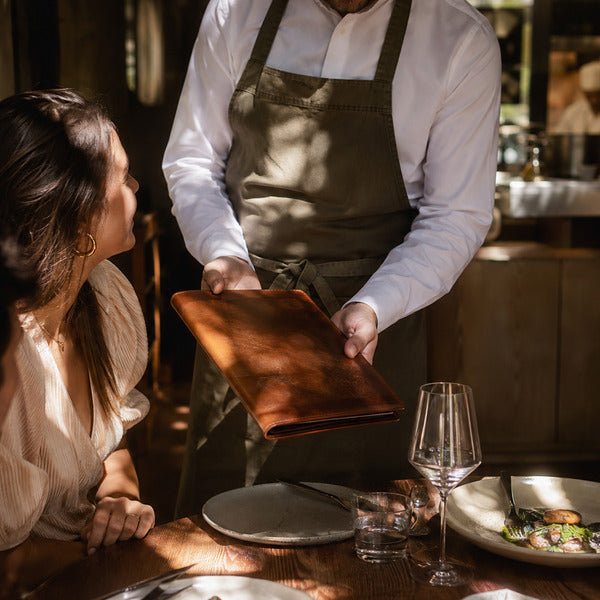
Your menu is the only piece of marketing every single guest reads. Before the first dish leaves the kitchen, menu presentation has already told your customers what kind of restaurant you run, what they should order, and how much they should expect to spend. In 15+ years supplying more than 40,000 foodservice operations at Restaurantware, we have watched operators lift check averages without changing a single recipe — simply by rethinking how the menu is designed, written, and handed to the guest.
This is the definitive Restaurantware guide to menu presentation. It consolidates everything we have published on the subject: the psychology behind menu design, plus dedicated playbooks for prix fixe menus, shareable menus, smaller menus, gluten-free menus, QR code menus, and menu simplification.
TL;DR — Menu Presentation At A Glance
- Menu presentation drives real spending. A Cornell University field study found guests spent significantly more when prices were listed without dollar signs, and descriptive menu labels have been shown to lift sales of labeled items by 27%.
- Guests read menus like a book. Eye-tracking research from San Francisco State University shows diners scan menus sequentially, top to bottom — so sequence and section order matter more than mythical "sweet spots."
- Format is presentation. Prix fixe, shareable, compact, gluten-free-labeled, and QR code menus each change how customers perceive value and make decisions.
- Fewer choices sell better. Choice-overload research shows too many options suppress purchases; Datassential menu data shows US menus shrank about 10% after 2020 for exactly this reason.
- The physical object counts. A worn vinyl menu undermines a great dish list. Quality menu covers, holders, and plating tools complete the presentation loop.
Menu Format Comparison
| Menu Format | Best For | Presentation Effect On Customers |
|---|---|---|
| À la carte (classic) | Most full-service concepts | Maximum choice; requires careful layout to guide ordering |
| Prix fixe | Fine dining, events, holidays | Signals occasion and value; simplifies decisions; predictable check |
| Shareable / shareables menu | Bars, social dining, small plates | Encourages group ordering and higher per-table spend |
| Compact / simplified menu | Concepts fighting choice overload | Raises perceived quality and speeds decisions |
| Gluten-free-labeled menu | Any concept serving GF guests | Builds trust with celiac and gluten-sensitive diners |
| QR code / digital menu | Fast casual, patios, high-turn rooms | Contactless access, instant updates, rich photos |
What Is Menu Presentation?
Menu presentation is the complete visual, verbal, and physical delivery of a restaurant menu — the layout and typography, the item names and descriptions, the pricing format, the material the menu is printed on or the screen it appears on, and the way staff hand it to the guest. Menu presentation breaks down into four layers:
- Structure: the menu format (à la carte, prix fixe, shareable, tasting), section order, and item count.
- Design: layout, fonts, white space, color, photography, and price formatting.
- Language: item names, descriptive copy, and dietary labels such as gluten-free notation.
- Physical delivery: the menu cover or holder, its condition, and the service ritual of presenting it — or the QR code and digital experience that replaces it.
Each layer influences customer behavior measurably. The sections below cover the psychology first, then the five menu formats every operator should understand.
How Does Menu Design Psychology Influence What Customers Order?
Menu design psychology is the study of how layout, wording, and pricing cues change ordering behavior — and the peer-reviewed evidence is remarkably consistent: small presentation changes produce measurable sales changes.
Guests read menus like a book — sequence is your real "sweet spot"
An eye-tracking study by Professor Sybil Yang at San Francisco State University found that diners read menus sequentially, like a book, and that their gaze does not linger meaningfully longer on any single "sweet spot" — contradicting decades of industry folklore about a magic upper-right corner (San Francisco State University, via EurekAlert). The practical takeaway: put your highest-margin items early in each section, because guests read in order and anchor on what they see first. Current as of August 2026.
Price formatting changes how much guests spend
Cornell University's Center for Hospitality Research ran a field experiment at the Culinary Institute of America's St. Andrew's Café testing three price formats. Guests who received menus with numerals only — no dollar signs, no "dollars" spelled out — spent significantly more than guests whose menus showed "$" (Yang, Kimes & Sessarego, Cornell Hospitality Report, 2009). Currency symbols prime "pain of paying"; clean numerals keep attention on the food. Also skip dotted leader lines that march the eye straight to the price column.
Descriptive labels lift sales by 27%
In the landmark field study "Descriptive Menu Labels' Effect on Sales" (Wansink, Painter & van Ittersum, Cornell Hotel and Restaurant Administration Quarterly, 2001), renaming items with vivid, descriptive labels — "Tender Grilled Chicken" instead of "Grilled Chicken" — increased sales of the labeled items by 27% and improved post-meal ratings of the food itself (finding documented in NIH-published research). Geographic cues ("Gulf shrimp"), sensory words ("crackling," "velvety"), and provenance ("family recipe") all do the same work: they set taste expectations before the plate arrives.
The physical menu is part of the pitch
Our foodservice customers consistently tell us the same thing: a worn, sticky, or cracked menu undermines even a great dish list. Guests hold the menu longer than they hold anything else you give them except the fork. A substantial menu cover, clean typography, and a deliberate hand-off ("May I walk you through tonight's menu?") signal care — and guests extend that perception of care to the kitchen. It is the same principle we cover in why food presentation matters in take-out orders: presentation is a promise about quality.
Why Should You Use Prix Fixe Menus At Your Restaurant?
A prix fixe menu is a fixed-price menu: guests pay one set price for a multi-course meal, usually choosing each course from a short list of options. "Prix fixe" is French for "fixed price" and is pronounced "pree feeks." A prix fixe differs from a tasting menu (chef-selected, no choices) and from table d'hôte (a near-synonym; historically the "host's table" menu of the day).
Prix fixe menus influence customers through presentation in three ways:
- They reframe value. One printed price for three or four courses reads as an occasion, not a transaction. Guests stop line-item comparing and evaluate the whole experience.
- They simplify the decision. Choosing one of three appetizers is easier than scanning forty items — decision fatigue drops and satisfaction rises.
- They stabilize your economics. Predictable checks, predictable prep, tighter purchasing, and less waste. Kitchens fire courses in a known sequence, which speeds service.
Prix fixe presentation thrives at holidays (Valentine's Day, Mother's Day, New Year's Eve), restaurant weeks, and destination dining rooms. The Ahwahnee Dining Room in Yosemite National Park — a GSC-search favorite — runs a curated five- or seven-course prix fixe dinner as its signature experience (The Ahwahnee Dining Room). Presentation tips: print the prix fixe on a single elegant card or insert, name the menu ("Harvest Menu," "Chef's Winter Prix Fixe"), list courses top to bottom in serving order, and offer a wine-pairing line under each course as a natural upsell.
How Do You Create A Shareable Menu?
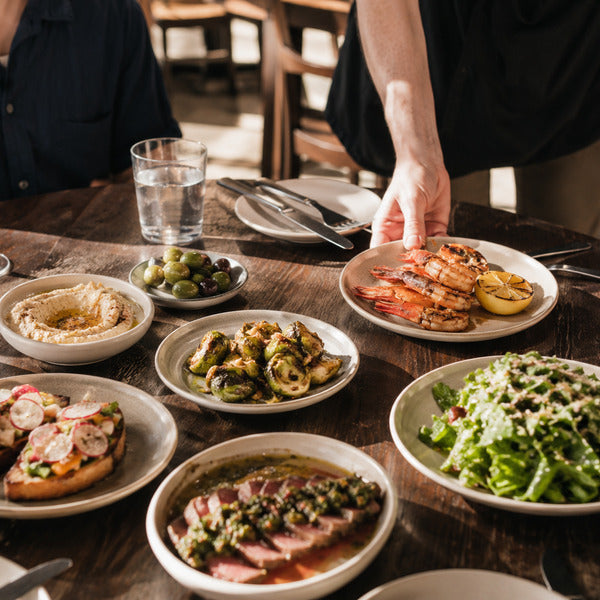
A shareable menu (also called a sharing menu or shareables menu) is a menu built around dishes portioned and plated for the whole table — small plates, boards, platters, and family-style entrées designed to land in the center rather than in front of one guest. Shareables food ranges from mezze and charcuterie to wings, dumplings, and whole roasted proteins carved tableside.
Sharing menus influence customers because they turn ordering into a group activity: tables order more total items, try higher-margin snacks and sides, and stay longer. Here is how to build one:
- Create a dedicated "Shareables" or "For The Table" section. Guests need explicit permission to share; a labeled section provides it. Note portion guidance right on the menu ("serves 2–3").
- Engineer for the center of the table. Dishes must hold temperature and look composed from every seat. Boards, tiered stands, and cast-iron servers do presentation work a single plate cannot.
- Price for group psychology. A $24 platter splits to $8 a person in the guest's head — shareables tolerate premium pricing better than solo entrées.
- Stagger the fire. Send shareables in waves so the table is never empty and never buried; your menu copy can set the expectation ("dishes arrive as they're ready").
- Sell the second round. Shareable formats naturally prompt "should we get one more?" — train servers to suggest the highest-margin add-on.
The same group-ordering logic applies off-premise: build platters and bundles into your catering and to-go programs, as we detail in how to create a catering menu and how to create a grab-and-go menu that attracts customers.
Why Should You Make Your Menu Smaller?
A smaller menu sells better because it fights choice overload. In the famous "jam study" by Sheena Iyengar (Columbia University) and Mark Lepper (Stanford University), shoppers who saw 24 jam varieties stopped to browse more often — but shoppers who saw only 6 varieties were roughly ten times more likely to actually buy (Iyengar & Lepper, Journal of Personality and Social Psychology, 2000). Big menus attract attention; small menus convert.
The industry has voted with its printers. Datassential's State of the Menu research found US restaurant menus shrank 10.2% in the wake of 2020 — a deliberate, permanent strategy shift, not just a supply-chain reflex (Datassential, reported by FoodService Director). Current as of August 2026. Why restaurants are shrinking their menus:
- Perceived quality rises. A compact menu signals focus: "we do twelve things exceptionally" beats "we do ninety things adequately." Guests infer freshness — fewer items means faster inventory turns, and they know it.
- Kitchens execute better. Fewer SKUs, fewer stations, fewer mistakes, faster tickets.
- Food costs drop. Cross-utilized ingredients and less spoilage.
- Decisions speed up. Tables order sooner, turn faster, and report higher satisfaction.
Rotating and seasonal menus are the antidote to "smaller = boring." Keep a tight core, then rotate a seasonal insert monthly or quarterly. Regulars get novelty, the kitchen gets discipline, and the printed insert itself becomes a presentation event — align rotations with what's trending using our guide to menu planning food trends. At the extreme end, hyper-minimalist concepts — including much-publicized restaurants running only three items — prove that a severely edited menu can itself be the marketing story.
How Do You Create A Gluten-Free Menu That Speaks To Your Customers?
A gluten-free menu is a menu — or clearly labeled menu section — of dishes prepared without wheat, barley, or rye, presented so that gluten-avoiding guests can order with confidence. The stakes are medical, not stylistic: the FDA estimates 3 million people in the United States have celiac disease, an immune disorder in which gluten damages the small intestine (US Food and Drug Administration; see also the NIH's National Institute of Diabetes and Digestive and Kidney Diseases). Millions more avoid gluten for sensitivity or preference. Current as of August 2026.
Presentation rules for a gluten-free menu that builds trust:
- Use a consistent "GF" notation next to qualifying items, with a legend at the bottom of the menu ("GF = made without gluten-containing ingredients"). Consistency is what celiac guests scan for.
- Be honest about cross-contact. If you share fryers or prep surfaces, say so on the menu. For celiac guests, "made without gluten ingredients" and "safe for celiac" are different promises. The FDA's packaged-food standard — "gluten-free" means less than 20 parts per million of gluten — is the benchmark serious guests know.
- Design real dishes, not consolation dishes. Naturally gluten-free preparations — grilled proteins, risotto, corn-tortilla tacos, flourless chocolate cake — present as first-choice food. A celiac guest ordering a great celiac-safe meal, not a stripped-down substitute, is the guest who returns with four friends.
- Train the hand-off. When a guest mentions gluten, the server should present the GF options verbally and flag the allergy to the kitchen. That service ritual is menu presentation, too.
The payoff compounds: gluten-free diners choose the restaurant for the whole table. One trustworthy GF menu routinely decides where a party of six eats.
Are QR Code Menus Here To Stay — Or Just A Temporary Trend?
QR code menus are here to stay — as an option, not a replacement. Those little checkerboard codes (many guests literally search for "checkerboard code menus") went from pandemic workaround to permanent infrastructure. The National Restaurant Association's Restaurant Technology Landscape Report 2024 found 59% of full-service customers would pull up a menu on their smartphone using a QR code — including 78% of millennials and 69% of Gen Z adults, though only 30% of baby boomers (National Restaurant Association, 2024). Current as of August 2026.
The benefits of QR code menus for restaurants:
- Instant updates. Change prices, 86 items, or launch specials in real time with zero reprint costs.
- Contactless access. A contactless menu QR code eliminates one of the most-handled objects in the dining room.
- Richer presentation. Digital menus support photos, videos, and translations a printed page cannot hold.
- Direct ordering and payment. QR menus can carry the order and the check, trimming labor per table.
- Data. View counts and click paths show which dishes get attention — menu engineering with live analytics, the same data-driven approach we recommend for analyzing customer preferences to optimize beverage choices.
- Lower cost per change. Seasonal rotations become a five-minute edit.
- Sustainability. Less paper and lamination waste across hundreds of reprints a year.
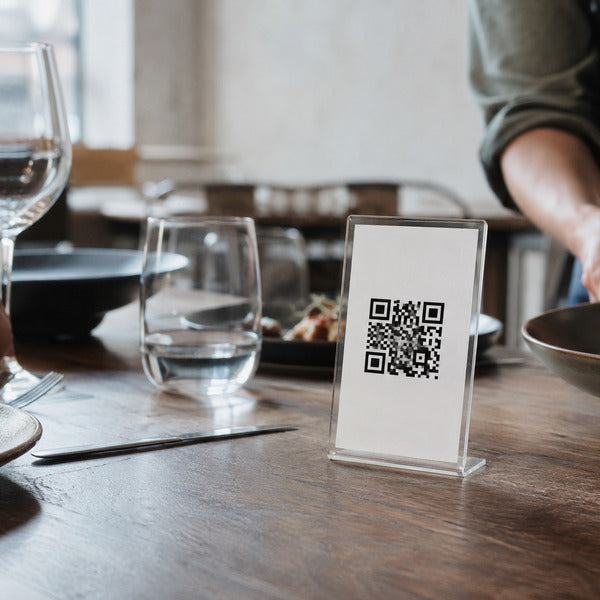
The presentation caveat: a QR code taped to a table communicates nothing good. Mount the code in a weighted tabletop stand or frame, and — critically — keep a beautiful printed menu available on request. With a third of boomers unwilling to scan, the winning play in 2026 is hybrid: QR for speed and updates, print for hospitality and accessibility.
How Do You Simplify Your Menu Without Losing Sales?
Menu simplification means doing more with less: cutting weak items, consolidating ingredients, and streamlining the guest's decision path — on paper and in online ordering. Where "make your menu smaller" is the strategy, simplification is the operating discipline. Techniques that work:
- Run the numbers first. Pull 90 days of sales mix. Rank every item by popularity and contribution margin (the classic menu-engineering matrix — stars, plowhorses, puzzles, dogs). Cut or rework the dogs.
- Cross-utilize ingredients. Every ingredient should appear in at least two or three dishes. One protein, three presentations.
- Simplify the cooking order. Fewer items means cleaner station assignments and a saner firing sequence — tickets flow appetizer → entrée → dessert without a 90-item menu's chaos. Speed is a guest-facing presentation win.
- Mirror the simplification online. Complex menus are even worse in a scrolling app than on paper. For online ordering, collapse options into curated bundles and combos — a "Dinner for Two" bundle out-converts twelve à la carte decisions, and it reads as a deal for budget-minded guests.
- Prune modifiers. Every "choose your..." adds decision cost and kitchen error risk. Offer one excellent default.
- Present the edit confidently. Reprint the menu properly after cuts. A shorter menu in a quality cover reads as intentional curation; a long menu with items crossed out reads as decline.
Which Tools Elevate Menu Presentation In A Dining Room?
Menu presentation is physical, and the hardware matters. In 15+ years supplying 40,000+ foodservice operations, we have seen operators lift check averages simply by upgrading menu covers and the presentation ritual around them — the menu is the first "plate" you serve. The Restaurantware toolkit:
- Menu covers and books: leatherette, wood, and acrylic menu covers and books that give a prix fixe card or a tight one-page menu the weight it deserves — and survive hundreds of services without fraying.
- Menu holders and stands: tabletop menu holders and display stands that keep QR code cards, specials, and counter menus upright, clean, and impossible to miss.
- Food presentation and plating tools: the menu makes the promise; the plate keeps it. Our food presentation and plating tools — boards, cones, stands, and plating instruments — make shareables and signature dishes look exactly like the descriptive copy said they would.
Match the material to the message: a rustic wood menu board suits a farmhouse concept the way brushed metal suits a modern bar. When the menu object, the menu copy, and the plate all tell one story, guests trust the story — and spend accordingly.
Frequently Asked Questions About Menu Presentation
What is a menu presentation?
A menu presentation is the complete way a restaurant's menu is designed and delivered to guests — its format, layout, typography, item descriptions, pricing display, physical cover or digital interface, and the service ritual of handing it over. Effective menu presentation guides ordering decisions and increases average spend.
What are the 7 parts of a menu?
The seven parts of a typical restaurant menu are: (1) appetizers or starters, (2) soups and salads, (3) main courses or entrées, (4) sides and accompaniments, (5) desserts, (6) beverages, and (7) supporting information — prices, descriptions, dietary labels such as GF notation, and house branding. Guests read these sections sequentially, so order them the way you want the meal to unfold.
What are the 4 types of menu performance?
The four types of menu performance come from menu engineering, which grades every item by popularity and profitability: stars (popular and profitable — feature them prominently), plowhorses (popular, low margin — reprice or re-engineer), puzzles (profitable, unpopular — improve their presentation and placement), and dogs (unpopular, unprofitable — cut them).
How do you present the menu in a restaurant?
Present menus open or ready to open, handed to each guest individually — typically guests of honor or elders first — with a brief verbal orientation: chef's specials, signature dishes, and any items that have sold out. Keep menus spotless and unfrayed, use a cover that matches your concept, and for QR code menus, display the code in a proper tabletop holder while offering a printed menu to anyone who prefers one.
What is the difference between prix fixe and à la carte?
A prix fixe menu offers a complete multi-course meal at one fixed price with limited choices per course, while an à la carte menu prices every dish individually so guests compose their own meal. Prix fixe simplifies decisions and stabilizes check averages; à la carte maximizes flexibility.
Do QR code menus increase sales?
QR code menus can increase sales by making updates instant, showcasing photos, enabling direct ordering and payment, and surfacing analytics on which dishes guests view. Their impact depends on execution: pair the QR option with quality printed menus, since roughly a third of older guests prefer not to scan.
Conclusion: Present The Menu Like It's The First Course
Menu presentation is the highest-leverage, lowest-cost improvement in the restaurant business. The research is unambiguous — sequence guides the eye, price formatting changes spend, descriptive labels lift sales 27%, and fewer, better-presented choices convert more reliably than sprawling lists. Whether you run a five-course prix fixe, a shareables-driven bar menu, a tightly edited core list, a celiac-trusted gluten-free program, or a hybrid print-plus-QR system, the principle is the same: the menu is the first course. Serve it beautifully.
Ready to upgrade the hardware behind your menu presentation? Explore Restaurantware's food presentation and plating tools and menu covers and books — trusted by 40,000+ foodservice operations to make the promise and keep it.